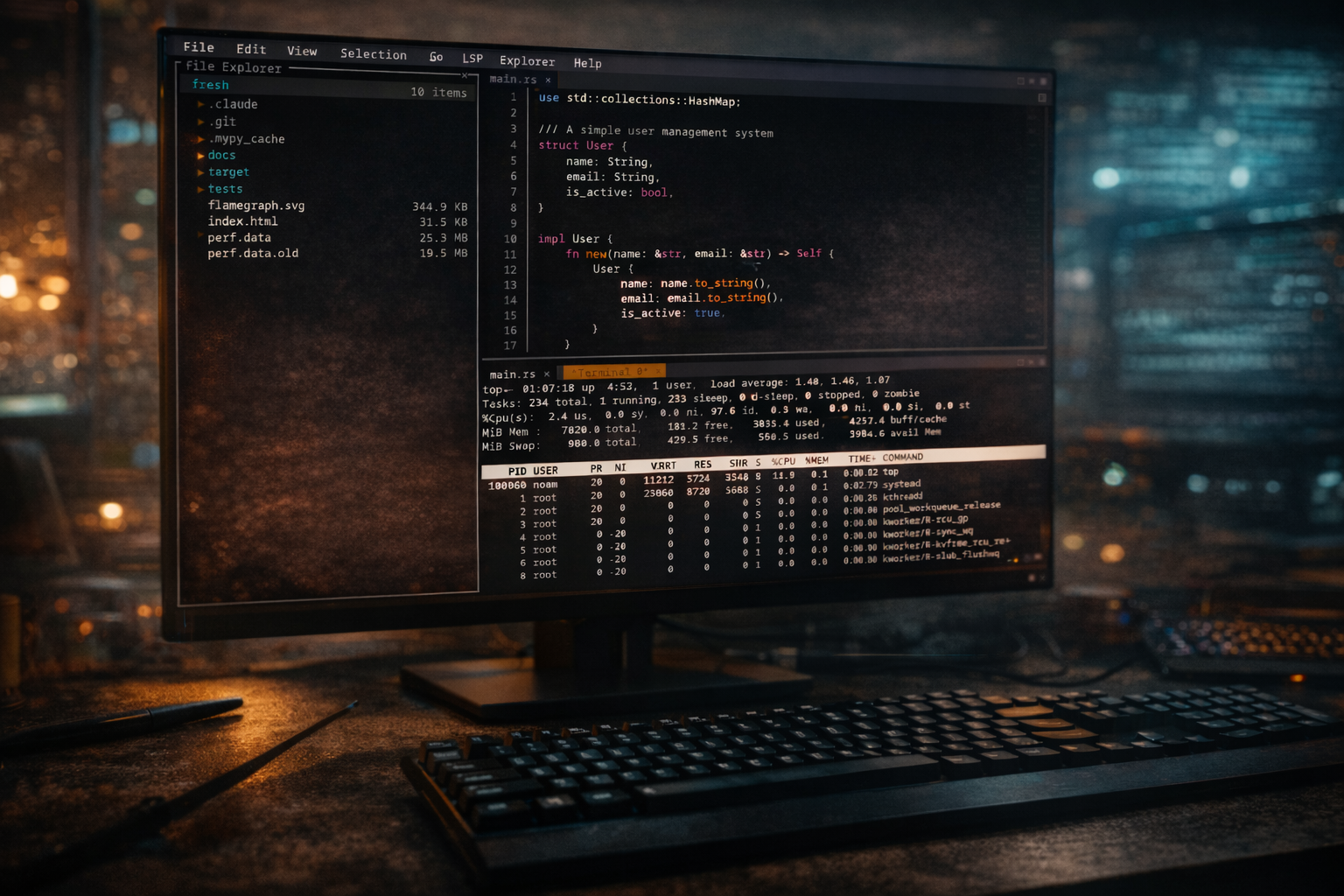

Okay, I’ll just come out and say it: I’ve been a terminal text editor tourist for years. I’d try Vim, get confused by the modes, and rage quit, though LazyVim did help. I’d dabble in Emacs, spend three hours trying to configure it, then go back to VS Code like a defeated coward. And honestly? I was fine with that. Terminal editors just weren’t for me.
Then I stumbled across Fresh, and… well, things got interesting.
What Even Is Fresh?
Fresh is a terminal-based text editor built in Rust that’s trying to solve a problem I didn’t realize was so widespread: Why do terminal editors have to be so damn intimidating?
Instead of throwing you into modal editing hell or requiring you to memorize arcane key combinations that look like someone fell asleep on their keyboard, Fresh just… works the way you’d expect. It’s got mouse support, menus, a command palette (Ctrl+P, just like VS Code), and keybindings that actually make sense to someone who’s spent the last decade in graphical editors.
The Speed Thing Is Real
Look, everyone claims their editor is “blazing fast,” but Fresh actually delivers on this. I opened a 2GB log file just to test it, and the thing didn’t even flinch. No loading spinner, no beach ball of death, just instant responsiveness.
The developers claim it maintains “negligible memory overhead regardless of file size,” and from my testing, they’re not exaggerating. This is genuinely impressive stuff, especially if you’ve ever tried to open a massive file in VS Code and watched your RAM usage spike into the stratosphere.
It’s Actually Easy to Use
Here’s the thing that sold me: I didn’t need a tutorial. I opened Fresh, started typing, and everything just worked. Want to open a file? Ctrl+O. Save? Ctrl+S. Find something? Ctrl+F. It’s all the stuff you already know.
The file explorer (Ctrl+E) pops up in a sidebar, respects your .gitignore, and lets you navigate with arrow keys or your mouse. There’s a fuzzy file finder with Git integration. Multi-cursor editing works smoothly—and apparently people who actually use terminal editors full-time are pretty excited about how well this is implemented.
The LSP Support Is Legit
Fresh has Language Server Protocol support, which means you get the IDE features you’re used to: go to definition, hover documentation, diagnostics, autocompletion, the works. I tested it with Rust (rust-analyzer), and it was just as snappy as my GUI editor setup.
You can even configure resource limits for LSP servers in your config file so they don’t eat all your CPU. That’s a nice touch that shows the developers actually use this thing themselves.
The Plugin System Sounds Cool
Plugins are written in TypeScript and run in a sandboxed Deno environment, which is pretty clever. You get access to the modern JavaScript ecosystem without compromising the editor’s stability. I haven’t written any plugins yet, but the fact that I could without learning a whole new language is reassuring.
There are already some built-in ones like a color highlighter, TODO highlighter, and merge conflict helpers.
A Few Rough Edges
Let’s be real: Fresh is still relatively new. It’s got around 500 stars on GitHub, which means you’re not going to find a massive ecosystem of plugins or Stack Overflow answers for every question yet. The documentation is solid but not exhaustive.
Also, if you’re a Vim or Emacs power user who’s spent years building muscle memory around modal editing, Fresh might actually feel weird to you. This is explicitly designed for people coming from GUI editors, not for veteran terminal users looking to optimize their workflow further.
Installation Is Easy
Available through Homebrew, AUR, npm, cargo, and as .deb/.rpm packages. I used Yay on my Arch, and it was literally:
yay -S fresh-editor-binDone. No compilation, no dependency hell, no problem.
The Verdict
Fresh isn’t trying to replace Vim or Emacs. It’s not trying to be the most powerful or most customizable editor ever made. What it is trying to do is bring the intuitive experience of modern GUI editors to the terminal, and it succeeds remarkably well at that goal.
If you’ve been curious about terminal editors but bounced off the learning curve, Fresh is absolutely worth trying. If you SSH into servers regularly and miss having a decent editing experience, Fresh might become your new best friend. And if you just want a fast, responsive editor that can handle huge files without breaking a sweat, well, that’s Fresh too.
I’m genuinely impressed. This is the first terminal editor that made me think, “Yeah, I could actually use this daily without missing VS Code.”
Try it yourself: https://sinelaw.github.io/fresh/
Leave a Comment